

Wedding BandBuilder
A thoughtfully crafted wedding band configurator. Photorealistic in the browser, parametric by design, and quietly at home inside your brand.
TRY IT YOURSELF
Design a band, live
The full configurator, embedded right here. Pick a profile, metal, finish - every change renders in real time.
Live in minutes
From configured catalog to embedded store - a simple, elegant path to launch. No technical expertise required.
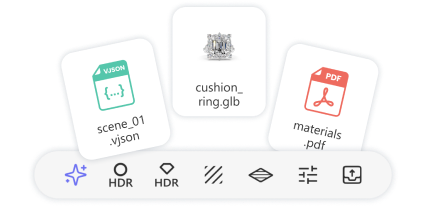
Configure Your Catalog
Set up profiles, metals, finishes, pricing rules, and branding on the iJewel platform. No 3D models to manage.
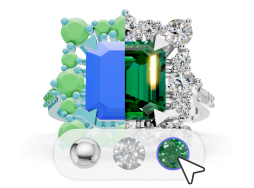
Embed on Your Store
Drop the configurator in with a script tag, iframe, or headless SDK. Live the same day on any platform.
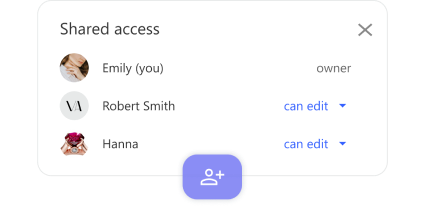
Design, Price, Deliver
Customers design in 3D and add to cart. You receive the configuration JSON and a production-ready spec sheet.
Four Features Worth Showing Off
AR try-on, interior engraving, live pricing, and a production-ready spec sheet - the four things that turn a 3D viewer into a sales and manufacturing tool.

Try Before You Buy
AR Try-On, Right From the Phone
Customers preview their designed ring on their own hand using their phone camera via WebXR - no app, no download. Works on iOS 15+ and Android 10+. The AR button is built in and toggleable from your theme settings.

Make It Personal
Interior Engraving, Previewed Live
Names, dates, vows, symbols - engraved inside the band and rendered live in 3D as the customer types. Choose from multiple fonts and sizes. Every engraving becomes part of the exported spec sheet for production.

Honest Pricing
Real-Time Price, From Real Geometry
Prices update live as the customer designs. Computed from actual 3D volume x metal density x price per gram, plus diamond carats, setting labor, finish surcharges, and markup. Widen the band 0.5mm and the price changes because the weight changed - not a lookup table.

Production Ready
Spec Sheet: From Screen to CNC
Every design exports a print-ready spec sheet: profile cross section diagram, exact millimeters, ring size in US/EU/UK, metal composition per zone, diamond count and carat weight, engraving, and full pricing breakdown. Branded with your logo and reference number.
What Your Customers Can Design
Every detail is shaped by the customer and computed in real time from real geometry. The defaults below are built in out of the box - and each one is fully extensible with your own profiles, metals, finishes, and materials.

Ring Profiles - Built-In & Custom
Eight built-in shapes out of the box - D-Shape, Flat, Comfort Fit, Court, Knife Edge, Beveled, Concave, and Round. Add your own signature profiles by importing 2D cross sections from Rhino (.3dm).
Width, Thickness & Ring Size
Width adjustable from 0.5x to 2.0x the profile base. Thickness from 0.5x to 1.5x. Ring size in US (3-13 with half sizes), EU (44-69) and UK (F-Z), converted automatically.

Metals - Defaults & Your Alloys
White, yellow, and rose gold shipped out of the box, tuned to real 18K alloys with PBR materials (calibrated reflectance, roughness, color). Add Platinum, Palladium, Titanium, or any proprietary alloy by uploading your own material files.

One, Two, or Three Color Zones
Split any band into up to three color partitions, each with its own metal and finish. Zones are divided in the geometry itself - clean boundaries, just like a real manufactured ring.

Surface Finishes - Built-In & Custom
Seven finishes out of the box - polished, hammered, brushed, ice, nature, sand, and linear - each applied per partition. Hammered displaces the surface; brushed adds micro-texture; polished sharpens reflectance. Add your own finishes by uploading PBR material files per metal.

Diamond Settings
Four setting types included out of the box - channel, channel-all-around, bezel, and prong. Adjust stone count, span (full, 1/2, 1/3, 1/4 or custom), spacing (stone-to-stone, half-stone, full-stone, proportional), size and position.
Edges & Wavy Grooves
Beveled, rounded, or sharp edges on left, right, or both sides. Decorative waves with 1-20 frequency and adjustable amplitude. Wavy splits let the partition follow the wave for dramatic effects.
Interior Engraving
Text engraved inside the band with multiple fonts, sizes, and symbol support. Previewed live on the 3D model and included on the exported spec sheet.
His & Hers Paired Bands
Two bands configured together. Linked mode keeps them in sync (same metal, same width). Independent mode lets each be unique. Individual and combined pricing, always in view.
What You Control
The configurator is yours to shape. Curate the catalog your customers see, set your pricing rules, and style it to match your brand - no developer required for the basics.
Curate the Catalog
Choose which profiles, metals, finishes, diamond settings and edge types appear - all from your manifest on the iJewel platform. Remove an option and it disappears. No code changes needed.
Set Your Default Design
Pick the starting configuration every customer sees: profile, width, metal, finish, and diamond setup. Lead with your best sellers, or the look your brand is known for.
Three Pricing Models
Western markup (1.5x-2.5x), Indian making charges (8-35% of metal cost), or Gulf per-gram ($5-50/gram). Configure per-metal pricing, finish surcharges, diamond cost per carat, setting labor, and rounding.
Ten Themes, or Build Your Own
Apply a preset like luxury-gold, modern-minimal, dark, rose-elegant, or niessing - or set your exact colors, fonts (Google Fonts included), border radius, and panel width. Inject custom CSS for pixel-level control.
Spec Sheet, Your Branding
Every design exports a print-ready spec sheet: profile diagram, exact millimeters, ring size across systems, metal composition, diamond count and carats, engraving, pricing breakdown. With your logo and reference number.
UI Feature Toggles
Show or hide the AR try-on button, export/import controls, camera pose buttons, and the His/Her toggle. Start customers on the tab you choose. Fit the tool to how you sell.
Fits Right Into Your Stack
Drop it into the platforms you already use - or control every pixel with the headless SDK. No rebuild required.

Script Tag
One <script> on your page. Direct JavaScript access to the viewer and full API.
iframe Embed
Isolated iframe with postMessage. Works on any CMS where you can add HTML.
Headless SDK
Hide the built-in UI and build your own. 3D engine runs quietly underneath.

Shopify
Liquid section or iframe embed with add-to-cart line item properties.

WooCommerce
Shortcode or custom product template with AJAX cart handlers.

Magento
Custom block with Storefront API integration.

BigCommerce
Stencil theme template with cart API wiring.

Wix
HTML embed with Velo code for cart and checkout flow.
For the rings that matter most.
Offer a configurator your customers will love - and a spec sheet your workshop can trust.