
I cannot add a domain or a model
What to do when the platform does not let you add a domain or upload a model.
Symptom
One of these occurs:
- The Add a domain dialog shows No production domain slots or All production slots in use.
- The Domains card shows No domains yet and tells you that white label domains start on Professional.
- You cannot upload more models. The platform shows Your Drive is full.
- The upload shows Not uploaded, with the file size and the limit of your plan.
Cause
Your plan limit is reached.
- Your domain slots are the domains in your plan plus the domains that you bought.
- Your model limit is the models in your plan plus your model packs.
- The Free, Premium and Startup plans include no white label domain.
See the numbers in Plans and limits.
Fix a domain limit
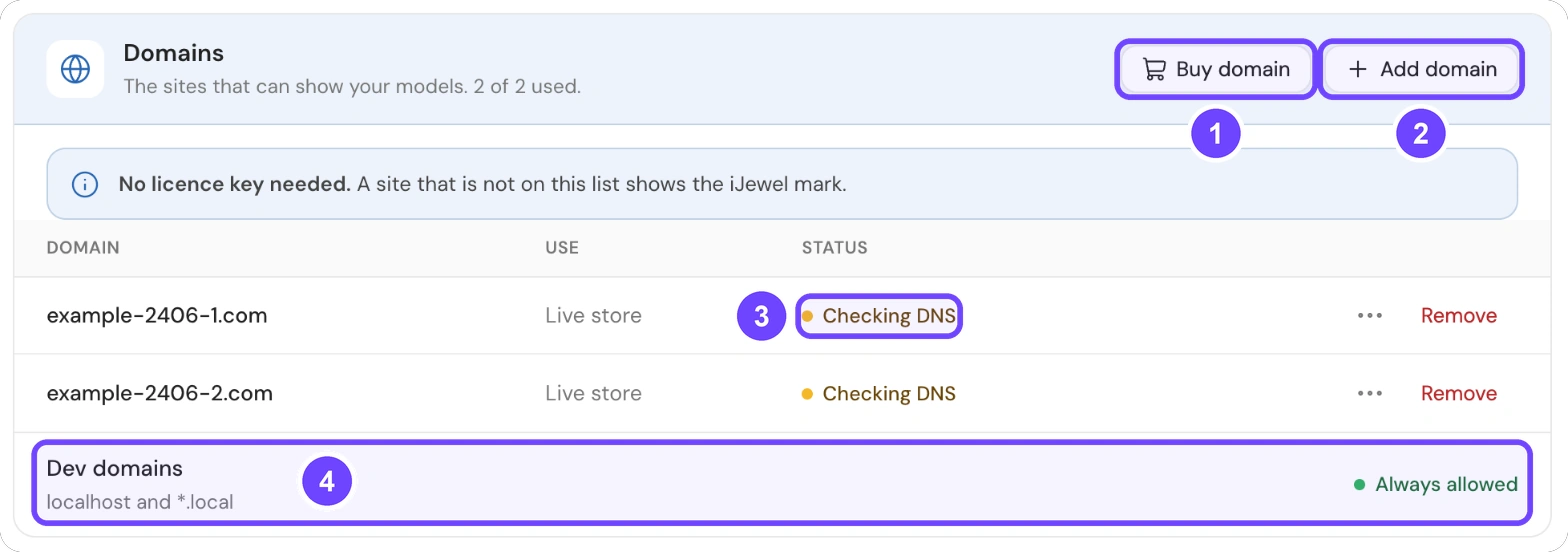
1 Buy domain · 2 Add domain · 3 Status · 4 Dev domains
- Open Settings, then select Plan and billing. The plan card shows your plan and your use in the Models, Team seats and Domains tiles.
- Select Apps, embed and API. In the Domains card, select Buy domain (1).
- After the purchase, select Add domain (2).
- For a test, set Use to Test site in the Add a domain dialog. A test site does not use a production slot.
- If your plan does not permit add-ons, upgrade your plan.
All 5 steps are done.
The Status column (3) shows if a domain is live. Under Dev domains (4), localhost and *.local are always allowed.
Fix a model limit
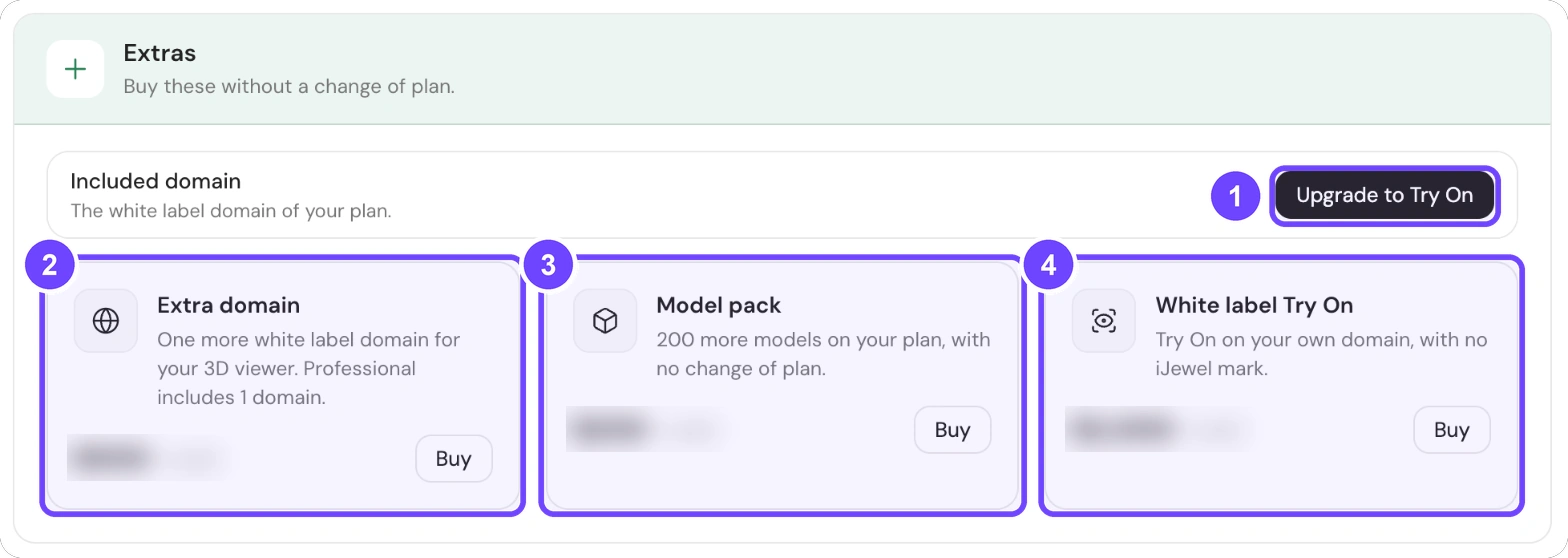
1 Upgrade to Try On · 2 Extra domain · 3 Model pack · 4 White label Try On
- Open Settings, then select Plan and billing.
- In the Extras card, select Buy on Model pack (3). See Add-ons: domains and model packs.
- If your plan does not permit model packs, upgrade your plan.
- If the file is too large, read The file is over the limit.
All 4 steps are done.
Dedicated enterprise instance
If the tab shows Connect billing account, select Connect account. You manage billing and domains through your main account.
If the problem continues
If you bought an add-on and the limit did not change, open the Plan and billing tab again. If the limit is still the same, contact support. Send your account email and the invoice.