
Templates beyond rings
The pendant necklace, tennis bracelet and stud and drop earring templates, and how to make your own product.
A configurator is not only for rings. A part can be any piece of a product: a pendant, a chain, a bracelet or an earring back. Three sample templates show how.
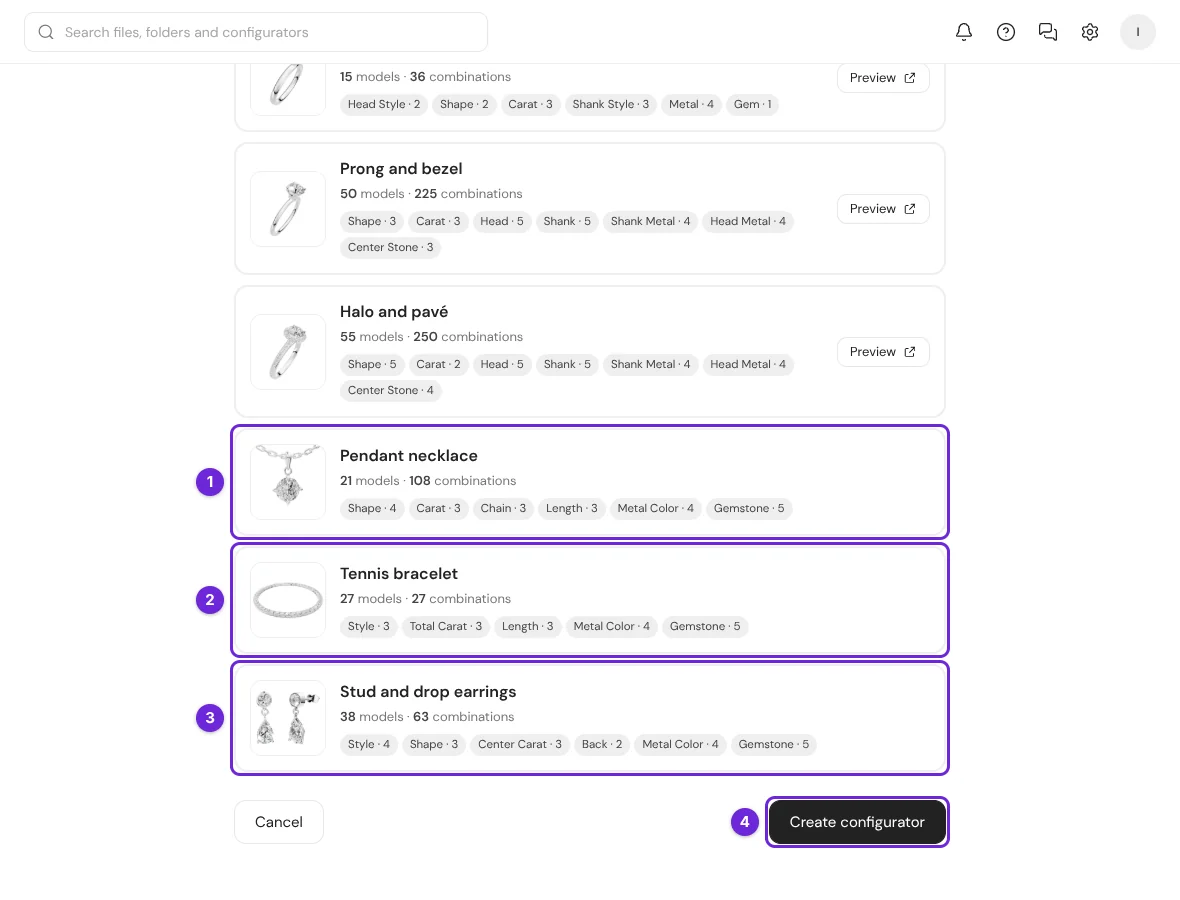
Each sample has its own 3D files, lists, materials and an example price model. You can change everything, as in a ring template. The editor shows "Created from the sample. Replace or delete any model in the panel."
Pendant necklace
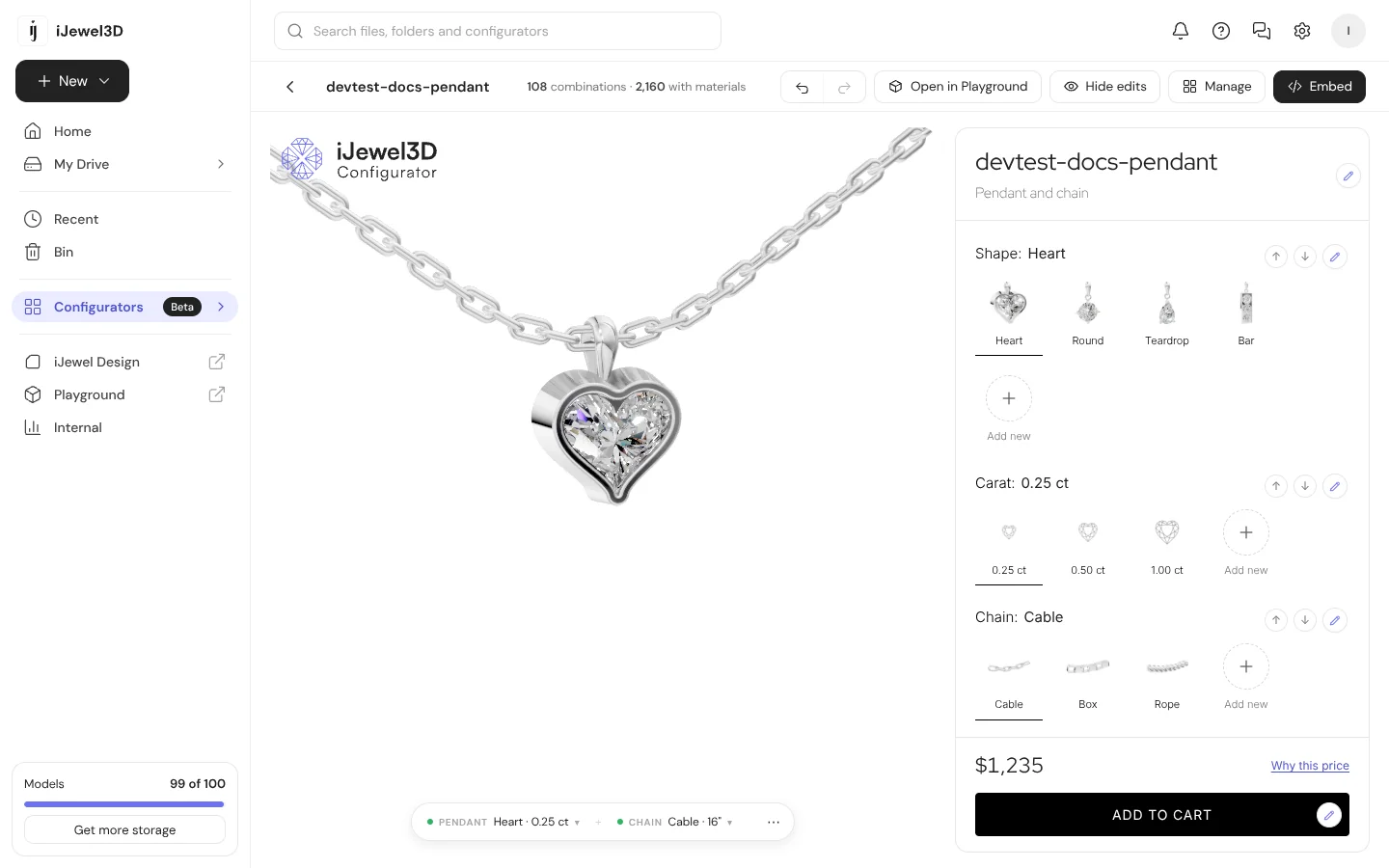
| Part | Lists | Files |
|---|---|---|
| Pendant | Shape (Heart, Round, Teardrop, Bar) × Carat (0.25, 0.50, 1.00 ct) | 12 |
| Chain | Chain (Cable, Box, Rope) × Length (16", 18", 20") | 9 |
| Materials | Metal Color, Gemstone | None |
12 pendants × 9 chains = 108 combinations.
Tennis bracelet
| Part | Lists | Files |
|---|---|---|
| Bracelet | Style (4 Prong, Martini, Bezel) × Total Carat (2.00, 3.00, 5.00 ct) × Length (6.5", 7", 7.5") | 27 |
| Materials | Metal Color, Gemstone | None |
The price changes with the total carat weight and the length.
Stud and drop earrings
| Part | Lists | Files |
|---|---|---|
| Setting | Style (Drop, 4 Prong Stud, Bezel Stud, Halo Stud) × Shape (Round, Oval, Pear) × Center Carat (0.50, 1.00, 2.00 ct tw) | 36 |
| Back | Back (Push, Screw) | 2 |
| Materials | Metal Color, Gemstone | None |
The template has a rule across two parts: a drop earring has no screw back. Your customer reads "A drop earring hangs from a push back." The configurator opens on the drop.
What is different from a ring
| Difference | What it means |
|---|---|
| No Try-On | Try it on your hand puts a ring on a finger, so it is off in the samples. |
| No demo preview | Create new configurator has no Preview for the samples. Create the configurator, then use Hide edits to try it. |
| A length is a list of a part | Each length has its own 3D file, because each chain length is a separate model. |
| Renders as pictures | The pictures of the style lists are renders of the sample models. They follow the metal and the stone that the customer picks. |
| One file for a pair of earrings | Model both earrings of a style in one file. |
Make your own product
- Create a configurator with Start from scratch, or start from the sample that is closest to your product.
- Plan the parts (the pieces that change shape) and the material lists (the metals and stones that change color).
- Name your files part first, then one word for each option, for example
pendant_heart_0.25ct.glbandchain_cable_16in.glb. - Upload the files and select Build lists from the names. Refer to Your own 3D models.
- Add the material lists, the rules and the prices.
All 5 steps are done.