Step 1 of 7
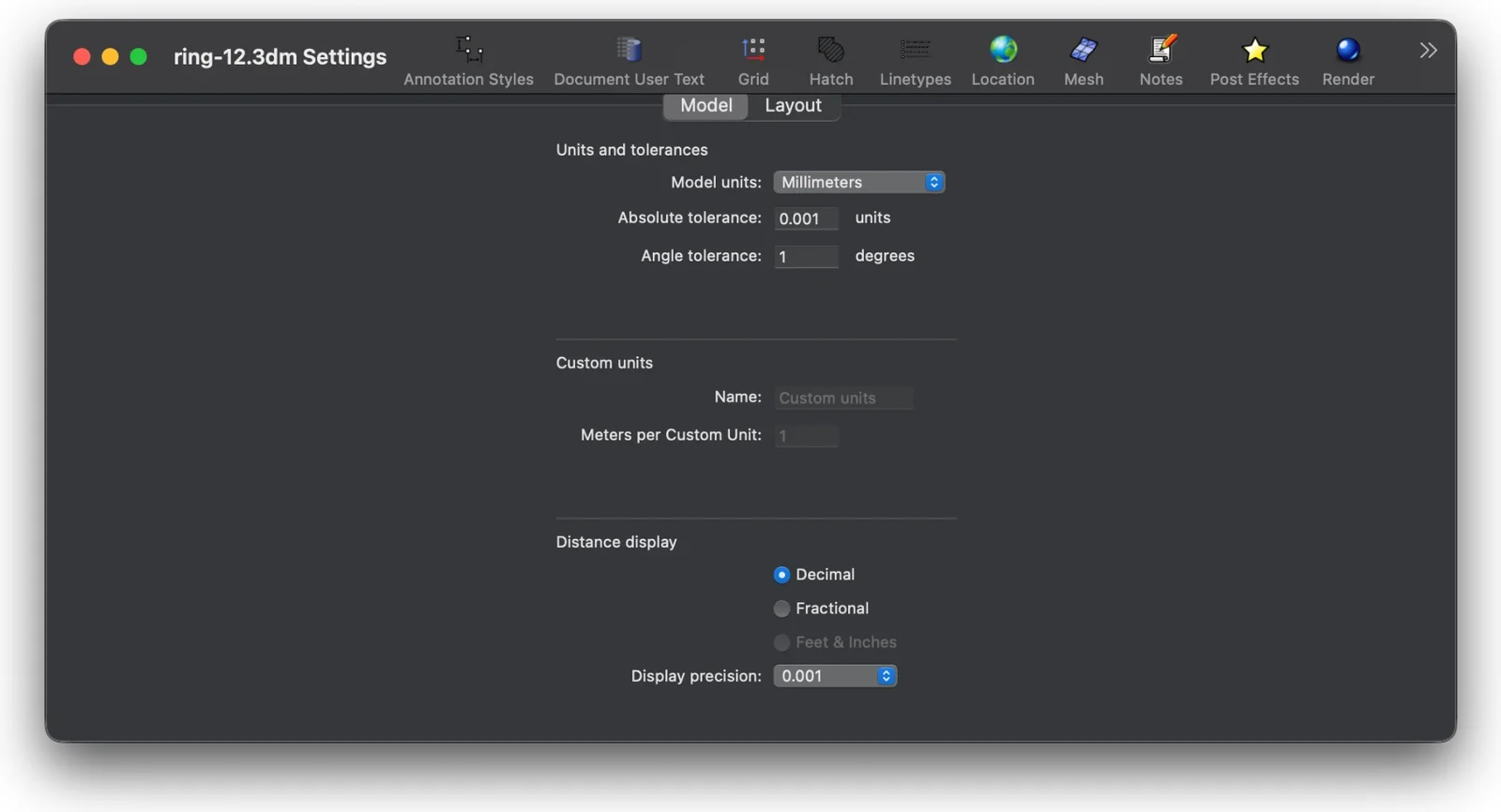
Model in millimetres
Model the piece at its real size, in millimetres. The drawing gives the real outside and inside diameters of this ring. The inside diameter sets the ring size.
- Type
Units. Set Model units to Millimeters. - Measure the ring with
Distance.
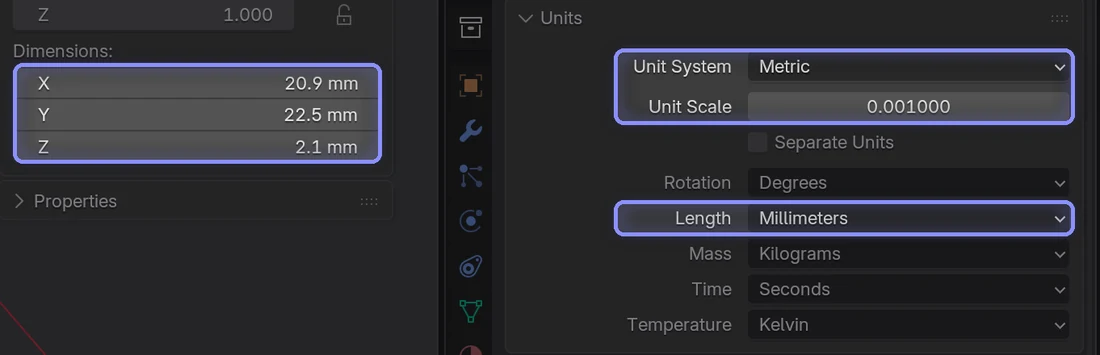
- Scene Properties, Units: Unit System Metric, Unit Scale
0.001, Length Millimeters. - Check the size: press N, then Item, Dimensions.
- Set the document units to millimetres before you model.